As a business, managing customer data across multiple tools and software applications can be a challenging task. That’s where HubSpot comes in – a popular all-in-one marketing, sales, and service platform that offers a range of tools to help businesses manage customer interactions and automate processes.
With HubSpot, you can integrate multiple apps to work together seamlessly. This integration allows you to automate processes and sync data across all of your tools, providing you with a more holistic view of your customer interactions. HubSpot has a robust ecosystem of integrations that can help you streamline your workflows and enhance your data management.
Here are some of the benefits of integrating multiple apps with HubSpot:
Now you can integrate hubsopt with multiple app using Make (formerly Integromat)
Make a powerful automation platform that connects over 1,500 apps, including HubSpot, without the need for coding. With Integromat, you can create complex workflows, automate repetitive tasks, and integrate data across multiple apps.
Here are some of the most popular HubSpot integrations with Make (formerly Integromat):
Integrating multiple apps with HubSpot can help you streamline your workflows, enhance your data management, and improve your customer experience. By choosing the right integrations for your business, you can create a seamless workflow that helps you achieve your goals more efficiently. And with tools like Make(formerly Integromat) you can create more powerful and complex workflows that automate even the most tedious and time-consuming tasks.
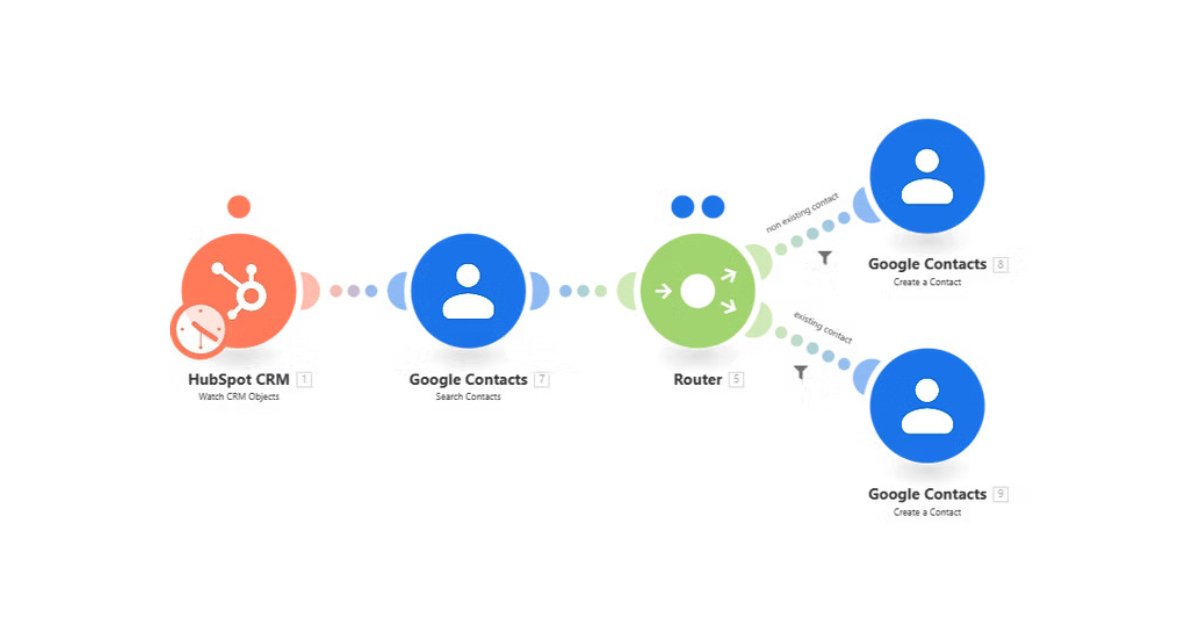
Integrating your HubSpot CRM with Google Contacts can be an excellent way to simplify your contact management process. With this integration, you can automatically add new contacts from HubSpot CRM to Google Contacts, ensuring that all your contacts are up to date and in one place. To set up this integration, you can use Make(formerly Integromat) which is a powerful automation tool that can help you streamline your workflows.
The first step in creating your integration is to set up your Make(formerly Integromat) account. If you already have an account, you can sign up for a free trial at Make.com Once you’ve signed up, you can start creating your integration by creating a new scenario in Make(formerly Integromat) . Integrations in Make are called scenarios, and the scenario editor is where you can create, edit, and test your integration.
To create the integration, you’ll need to set up the HubSpot CRM module and the Google Contacts module in your scenario. You’ll also need to connect your HubSpot CRM account and your Google account to Make(formerly Integromat) . Once you’ve done this, you’ll need to map the data between the two modules, which involves telling Make(formerly Integromat) which HubSpot CRM fields correspond to which Google Contacts fields.
To test your integration, you can run your scenario once, which will simulate the integration and show you any errors or issues that need to be resolved. Assuming everything works correctly during testing, you can activate your scenario, which will turn on the integration and allow new HubSpot CRM contacts to be added to Google Contacts automatically.
Overall, integrating your HubSpot CRM with Google Contacts can help you save time and simplify your contact management process. With Make(formerly Integromat) , setting up this integration is straightforward and can be done in a few simple steps.

Integrating HubSpot CRM with Google Contacts using Make(formerly Integromat) is a simple and effective way to streamline your contact management process. By following the steps outlined in this blog post, you can easily set up this integration and start automating your contact management today.
HubSpot integration with multiple applications can benefit businesses in several ways, including improving efficiency, gaining insights, enhancing collaboration, and centralizing data management. Integrating HubSpot with applications such as Salesforce, Zapier, Mailchimp, Shopify, and Zoom can streamline workflows, improve productivity, and enhance the customer experience.
By integrating HubSpot CRM with Mailchimp using Make(formerly Integromat) , you can ensure that your email lists are up-to-date, as new contacts added to HubSpot CRM will automatically be added to your Mailchimp email list. To set up this integration, you’ll need to create an account with Make(formerly Integromat) , create a new scenario, add the HubSpot CRM and Mailchimp modules, map the data, test your scenario, and activate your integration. By following these steps, you can streamline your customer data management and improve your overall efficiency.
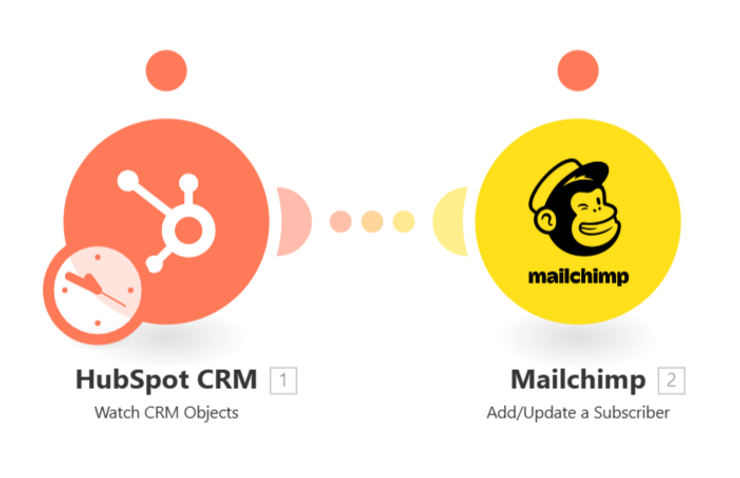
Integrating your HubSpot CRM with Mailchimp using Make(formerly Integromat) can help you save time and ensure that your email lists are always up to date. By following these simple steps, you can create an automated workflow that will streamline your customer data management and improve your overall efficiency.
In conclusion, HubSpot’s integration capabilities are a powerful asset for businesses looking to streamline their operations and improve their overall efficiency. By seamlessly connecting with a wide range of apps and tools, HubSpot enables companies to automate key tasks, reduce manual data entry, and gain valuable insights into their sales and marketing performance.
Whether you’re looking to integrate with popular apps like Google contacts, Shopify, or Mailchimp, or you have a custom solution that you want to connect with HubSpot, the platform offers a robust set of tools and resources to help you get started. With its intuitive user interface, extensive documentation, and active community of developers, HubSpot is a versatile and reliable choice for businesses of all sizes and industries.
Overall, HubSpot’s integration capabilities make it an attractive option for companies looking to enhance their existing workflows and unlock new opportunities for growth. By leveraging the power of HubSpot’s integrations, you can improve your team’s productivity, increase your revenue, and stay ahead of the competition in today’s fast-paced business landscape.
To implement business process automation, feel free to contact us.

 Contact