You probably have a list of video ideas somewhere: a doc, a notes app, or a spreadsheet tab. Most of those ideas never become videos because each one needs a shoot, an edit, captions, a thumbnail, and someone to chase it across the finish line.
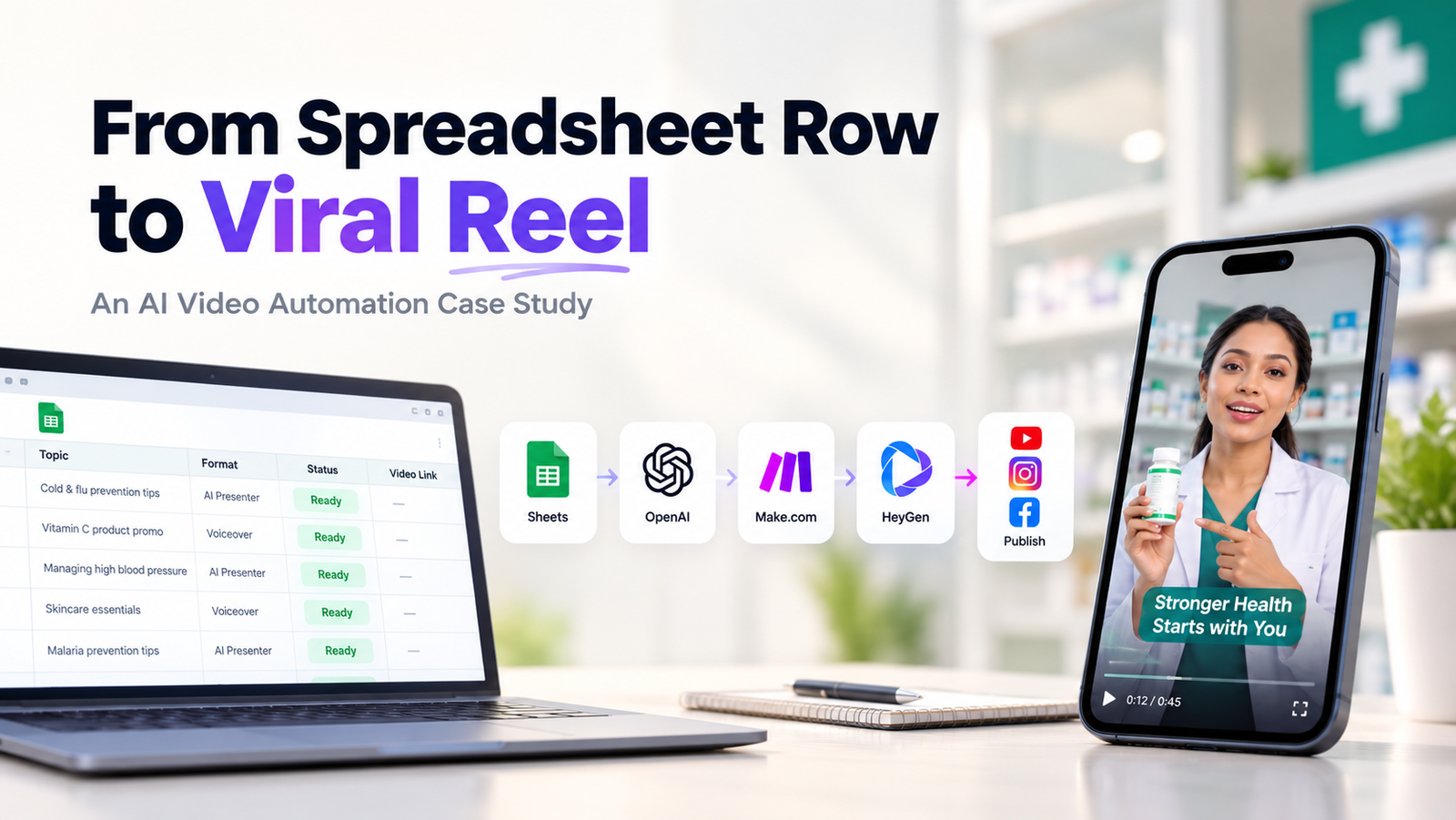
Making an idea list is easy, but the real hassle begins in production. With AI video automation, the production runs on its own: you type an idea into a sheet, mark it ready, and a finished, branded, captioned vertical video comes back to the same row, waiting for your approval. You stay in control of what goes live, and your team stops spending hours on production.
If your video output is inconsistent, it’s rarely a creativity issue. It usually comes down to four things.
Whether it is an important campaign or a quick educational tip, the workflow usually involves scripting, shooting, editing, reviewing, captioning, and publishing. For a small team, that naturally limits how much content can be produced.
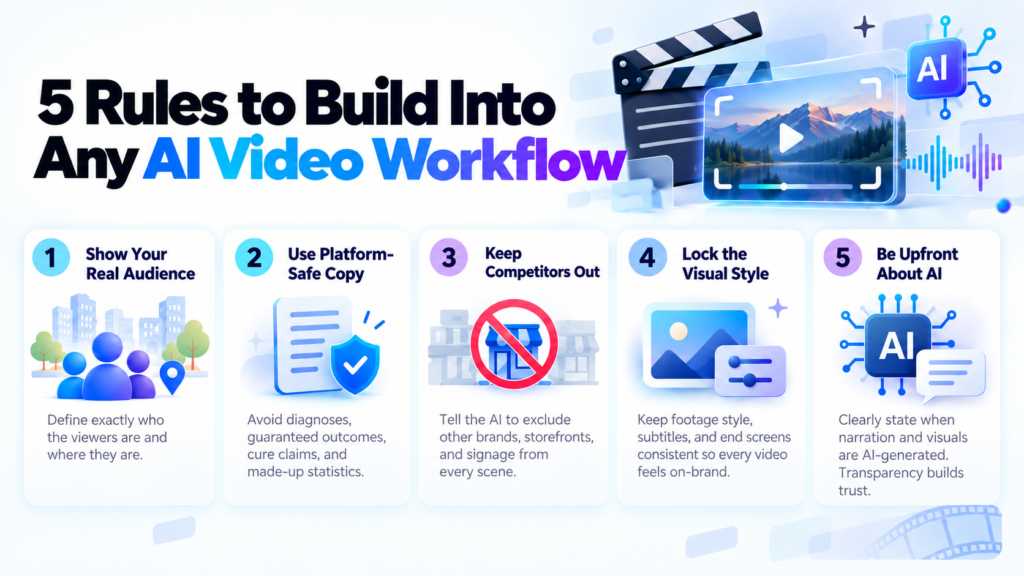
Stock footage often looks polished, but it may have little connection to the market watching the content. If the people, streets, stores, or environments do not feel familiar, the video can feel disconnected from the audience.
Healthcare, wellness, finance, and similar industries require extra care. Claims that diagnose conditions, promise outcomes, suggest cures, or use unsupported statistics can create unnecessary platform and brand risk.
When different people create different videos, visual details can start to drift. Fonts, subtitles, endings, pacing, and overall style may change from one video to another, making the brand harder to recognize.
Our healthcare client was dealing with all four challenges. Instead of adding more manual production work, we focused on redesigning the workflow.
Think of this as a template. The tools can change, but the flow works for almost any business that publishes regular short-form video.
The sheet is your control panel. For our client, educational topics come in from a news feed and get approved by a person, while promotional ideas are typed in directly by the team. You don’t need a new platform; your team already knows how to use a spreadsheet.
OpenAI turns each idea into narration plus a scene-by-scene plan with timings. For educational videos, the script is built from an approved source article, not from the AI’s general memory. That one choice does a lot to keep content accurate.
A single column decides whether the video uses an on-screen AI presenter or runs as voiceover only. Each format has its own creative brief and pacing, so you get variety without extra work.
HeyGen produces the footage, a regional-accent voiceover, subtitles, and the presenter when needed. For promotional videos, product images from the sheet go straight into the edit.
Every video finishes on the same branded end screen. The system also writes a YouTube title, description, and tags, plus separate captions for Facebook and Instagram, so you’re not rewriting copy for each platform.
The video link lands in the same row it started from. If something fails, the row is flagged, so nothing disappears without you knowing.
Nothing goes live until someone ticks the Publish field. Automation handles the work; a person keeps the final say.
The build is complete and running in the client’s live workflow. It hasn’t reached production volume yet, so we’re not quoting time or cost savings until they’re measured properly. If you set up something similar, this is the rollout we’d recommend:
Skipping step 2 is where most AI video content goes wrong. A few minutes of review early saves a lot of awkward posts later.
It’s likely a good fit if your team has a backlog of video ideas, publishes on more than one platform, or needs a consistent weekly rhythm without a dedicated editor. A few places it works well:
✔️ E-commerce brands can turn product rows into promo reels using images they already have.
✔️ Clinics and wellness businesses can publish explainers with safe-copy rules built in.
✔️ Real estate agencies can create listing videos from property details in a sheet.
✔️ Training and education businesses can turn course topics into short teaser clips.
✔️ SaaS companies can ship feature updates and tip videos on a fixed schedule.
Most businesses don’t need more content ideas. They need a way to get the ones they have out the door. A spreadsheet, a few connected tools, and clear rules can take the production step off your team’s plate, while you keep control of what goes live. If your idea list keeps growing and your publishing calendar doesn’t, that’s the gap worth closing. Book a Free Consultation Today!

 Contact